The feds dropped a public service announcement about a new phishing kit. When the FBI actually puts out a warning, you listen.
This one’s called Kali365, a PhaaS (Phishing-as-a-Service, ugh, buzzwords) that lets even script kiddies nab Microsoft 365 accounts. How? Not by stealing your password, which we all know is a mess anyway, but by hijacking your access tokens. Meaning all those extra codes and authenticator apps you dutifully tap? Pretty much useless once this thing has what it wants.
And let’s be clear: this isn’t just an enterprise problem for some IT guy to sweat over. If you’ve got a Microsoft 365 subscription, an Outlook account, or even just use OneDrive to share baby pictures, you’re in the blast radius. Anyone tricked into entering a short code on a legitimate Microsoft site can have their account hijacked.
For the cybercriminals hawking this thing, it’s a three-for-one deal:
- MFA? Pfft. Bypassed. Gone. Because tokens, not passwords.
- Persistent access. They can hang out in your Outlook, Teams, OneDrive — wherever — without needing to re-log, as long as their stolen refresh token is valid. Cozy.
- Zero skill required. Subscribe, click, and start slinging token-stealing campaigns at scale. The bar for entry into cybercrime just got even lower.
So, What’s the Attack Actually Look Like?
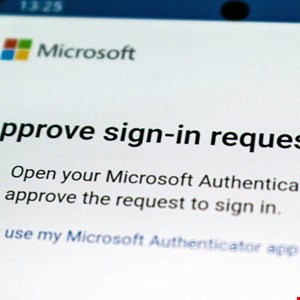
It starts with a message that looks legit. A SharePoint document share, a Teams invite, something from your cloud tools. It’ll include a short “device code” and tell you to visit a Microsoft page to “view the document” or “verify your account.”
Here’s the nasty part: the link actually goes to a real Microsoft URL. The one you use for device sign-in flows. To you, the user, it looks perfectly normal. Familiar. Unsuspicious. You might even see your company’s logo. You’re going through the standard Microsoft sign-in and consent screens, thinking you’re just doing your due diligence.
Unlike many phishing emails, this one sends you to a real Microsoft URL used for device sign-in flows. To the user, the page looks familiar and completely legitimate, which lowers suspicion.
But in doing so, you’ve just handed the keys to the kingdom. Once you approve the request, the attacker’s device gets OAuth access and refresh tokens tied to your account. These are the digital breadcrumbs Microsoft uses to remember you’re logged in, letting you hop between Outlook, OneDrive, and Teams without re-entering your password.
With these valid refresh tokens, attackers can maintain access for a good long while, often looking like regular account activity. And what can they do with that access? Plenty. Read your emails (including password resets), siphon files from OneDrive or SharePoint, and, of course, send out more phishing emails from your compromised account to your coworkers, customers, friends, and family. It’s a domino effect.
Why Does This Matter for Developers?
This attack vector is a prime example of how sophisticated threat actors are weaponizing legitimate cloud infrastructure. For developers building applications that integrate with Microsoft 365 or any cloud service relying on OAuth, this serves as a stark reminder of the ongoing need for strong security practices. The focus on token theft, rather than password brute-forcing, highlights a shift towards exploiting the inherent trust mechanisms within these platforms. This means developers need to be hyper-vigilant about how their applications handle authentication flows, token management, and consent grants. Relying solely on MFA at the user endpoint is no longer sufficient when the attack bypasses that layer entirely. Implementing granular permissions, regularly auditing token usage, and staying ahead of evolving attack techniques are paramount. The ease with which Kali365 allows unskilled attackers to use these advanced techniques means that vulnerabilities will be exploited rapidly and at scale.
How to Keep Your Microsoft Account From Getting Hijacked
Look, the best defense is often just slowing down and not blindly clicking things. Seriously.
- Never enter a code on a Microsoft login page just because an email or message told you to. You should only do this if you initiated the sign-in on your own device. This is the golden rule.
- Read the prompts. For real. Rushing through login approvals without reading them is how you get into trouble.
- Be suspicious of unexpected requests. Document shares, Teams invites, login prompts – even if they use legitimate Microsoft pages. If it’s unexpected, it’s suspect.
- Check your logged-in devices. Head over to https://account.microsoft.com/devices/. See anything weird? Remove it, change your password, and double-check your security settings.
And if you’re still feeling unsure, tools like Malwarebytes Scam Guard can sometimes help you spot a fake.
Look, an incognito window can only do so much. Breaches, dark web trading, credit fraud. Malwarebytes Identity Theft Protection monitors for all of it, alerts you fast, and comes with identity theft insurance.